Why is my solar battery not charging to 100%? This question often appears after a sunny day, when the monitoring app shows 82%, 91%, or a stubborn 97%. The cause may involve battery chemistry, temperature, charging settings, inverter limits, or inaccurate state-of-charge readings. A battery can also stop before full charge to reduce long-term stress. That behavior is not always a fault.
The International Energy Agency reported in Batteries and Secure Energy Transitions (2024) that global battery demand reached nearly 1 TWh in 2023. The report also emphasizes the importance of accurate battery management and flexible charging systems. NREL’s Storage Futures Study explains that storage value depends on how systems are operated, not only on their capacity. As NREL storage researcher Dr. Paul Denholm states, “Energy storage shifts electricity from one time to another.” That simple point matters at home. Your battery may be reserving energy for evening demand, backup protection, or grid-support settings.
Still, assumptions can mislead. A cloudy morning, a 5°C garage, or a small inverter limit can change the result quickly. Some apps also round readings, making 98% appear strangely permanent. This guide examines seven practical reasons your solar battery may not reach 100%, including seasonal charging, battery degradation, installation settings, and communication errors. It will also show what homeowners can check safely before contacting an installer. Do not guess with live equipment. Small details matter.
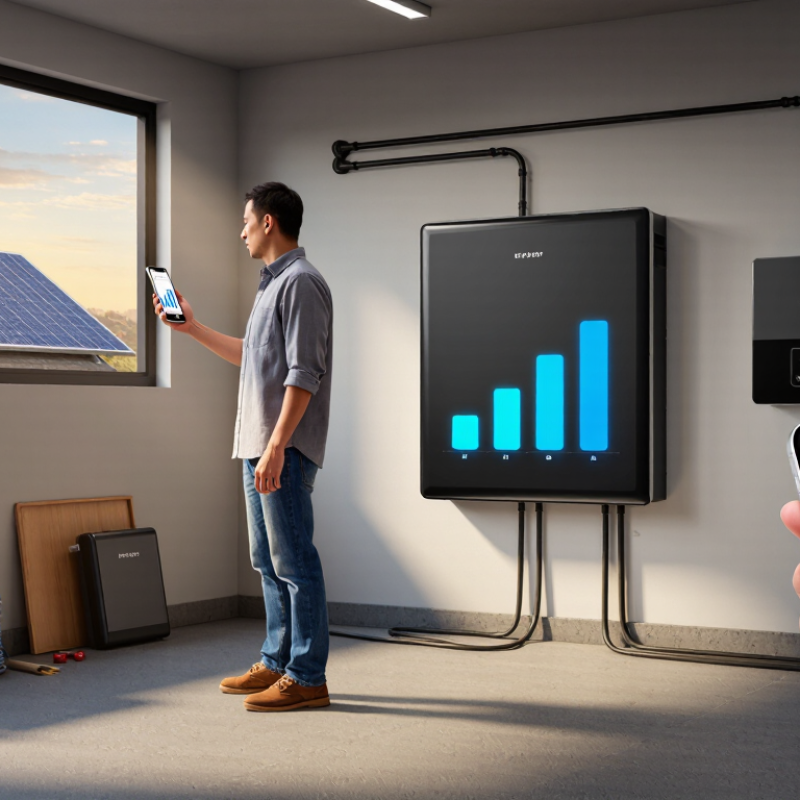
How Solar Battery Charging Works and What “100%” Really Means
A solar battery rarely charges in a straight line. Solar panels produce variable power, while household loads consume energy simultaneously. The inverter directs the remaining power into the battery. Near full charge, the battery management system reduces current to protect the cells. This tapering can make the final few percent surprisingly slow. NREL’s 2024 Annual Technology Baseline models lithium-ion storage with roughly 85% round-trip efficiency. Some solar energy is therefore lost during conversion.
Seven common reasons explain an incomplete reading. Cloudy weather may provide too little midday energy. Evening appliances can consume the surplus. Cold or excessive heat can restrict charging. A reserve setting may hold capacity for backup use. The battery’s state-of-charge estimate may need calibration. Age and repeated cycling can reduce usable capacity. Finally, inverter, sensor, or communication faults can interrupt charging. A 98% reading is not automatically a defect.
“100%” usually means 100% of the permitted usable range, not the cell’s absolute chemical limit. Manufacturers leave a safety buffer above and below that range. The International Energy Agency’s Batteries and Secure Energy Transitions report highlights how operating conditions strongly influence battery performance and lifetime. Check the live solar output, current household demand, temperature, reserve settings, and event history before changing anything. A technician should inspect unusual temperature warnings or repeated charge cutoffs. The uncomfortable point is simple: the display is an estimate, and every estimate deserves verification.
A solar battery that stops at 85% may not be faulty. The setting could be limiting its charge. Check the maximum state-of-charge value in the battery or inverter menu. Some systems protect battery life by stopping below 100%. Review the backup reserve too. A 20% reserve means the battery may appear full at 80%, depending on the display.
Look at the charging schedule and operating mode. Self-consumption mode may prioritize household loads over battery charging. Backup mode can hold energy in reserve. Time-based settings may also stop charging before sunrise.
I once found a schedule that ended charging at 5 a.m. The battery needed another hour. Small settings matter. Also check the permitted charge current. A low current setting can make charging extremely slow, especially after cloudy weather. Confirm that the solar array is producing enough power at midday.
Temperature affects charging behavior. Cold conditions can reduce or pause charging, while excessive heat may trigger protection. Check the system’s temperature reading and ventilation. The battery management system may also delay the final few percent for cell balancing. That process can take several hours.
If the displayed percentage remains inaccurate, review recent fault logs and consider a controlled calibration cycle, if the manual permits it. Do not change advanced limits blindly. Record each adjustment, because my first troubleshooting attempt changed two settings together and made the cause harder to identify. A qualified technician should inspect persistent faults, unusual heat, or repeated charging interruptions.
Identify Weather, Sunlight, and Solar Panel Performance Issues
Check the weather before blaming the battery. Thick clouds, rain, winter haze, and short daylight hours reduce solar output. A battery may stop at 70% because available energy is simply insufficient. Cold mornings can also limit charging speed. Check the outdoor temperature and daily sunlight pattern.
Inspect the panels carefully. Dust, leaves, bird droppings, or nearby shadows can reduce production. A small shadow across one panel may affect the entire array. Look for uneven surfaces, cracked glass, loose cables, or unusual discoloration. Clean panels only when safe, and avoid harsh tools that can damage their coating.
Compare the panel output with the system monitor. Record solar generation around noon on a clear day. Then compare it with previous readings from similar weather. A sudden drop may indicate wiring, inverter, or charge-controller trouble. During routine inspections, professionals also check voltage and current, not percentage alone.
Review the battery settings. A reserve limit, temperature safeguard, or time-based charging schedule may prevent a full charge. These protections are useful, but settings are sometimes misunderstood. I once assumed low sunlight explained everything, yet a conservative charge limit was active. That detail matters.
Do not repeatedly force a full charge. It may hide a deeper performance issue.
If production remains low after several sunny days, arrange a qualified electrical inspection.
A battery stopping at 95% does not always indicate failure. NREL’s 2024 Annual Technology Baseline models lithium-ion storage at about 85% round-trip efficiency. Inspect the wiring first: loose terminals, undersized cables, corrosion, or a warm connector can restrict charging. Look closely. Check inverter settings next. A programmed reserve, daily charge limit, or battery-protection mode may intentionally prevent 100%. Confirm the inverter receives enough solar voltage and current during peak daylight.
Temperature matters. Many battery systems reduce charging current in very cold or hot conditions. Keep ventilation clear, and review the operating range in the installation manual. Battery age also matters. The International Energy Agency reported that lithium-ion battery prices fell 14% in 2023, but aging still reduces usable capacity over time. Compare the displayed state of charge with stored energy and recent performance. A sudden drop suggests imbalance, sensor drift, or weakened cells.
Read every inverter and battery alarm, including historical faults. A single communication error can stop charging while the screen appears normal. My own troubleshooting mistake was blaming the battery before checking a partially loose communication cable. Use a qualified electrician for live wiring inspections. Do not repeatedly reset protective faults. Record voltage, current, temperature, and charging time for several sunny days. Patterns reveal more than one screenshot.
7 Tips Why Your Solar Battery Is Not Charging to 100%?
Apply Safe Troubleshooting Steps and Know When to Seek Professional Help
A battery stopping at 92% is not automatically defective. Many systems reserve capacity to reduce stress and extend service life. The International Energy Agency reported that global battery storage additions grew by more than 130% in 2023, reaching about 42 GW. Settings now matter more than many owners expect.
Check recent sunlight, shading, and inverter production. NREL research places typical photovoltaic degradation near 0.5% annually, so older panels may deliver less charging energy. Review the battery’s maximum charge and reserve settings in its approved app. Check temperature warnings, because extreme heat or cold can reduce charging speed. Read fault codes carefully. Restart equipment only when the user manual allows it.
Look, but do not touch exposed wiring. Loose connectors, corrosion, unusual smells, swelling, heat, or clicking sounds need professional attention. The U.S. Department of Energy’s Energy Storage Safety Strategic Plan identifies thermal runaway and emergency response as major safety concerns. Do not open the battery enclosure or test high-voltage terminals yourself. Record the battery percentage, weather, error messages, and charging times for two or three sunny days. That evidence helps a qualified technician work faster. A useful field lesson is uncomfortable: guessing from one cloudy afternoon often leads to the wrong repair. Contact a certified installer when the battery repeatedly stops charging, shows a persistent fault, or behaves differently after safe setting checks.
| Tip | Possible Cause | Typical Signs | Safe Troubleshooting Step | What to Check | When to Seek Professional Help | Risk Level |
|---|---|---|---|---|---|---|
| 1 | Insufficient sunlight or low solar production | The battery charges normally on sunny days but stops early during cloudy weather, winter, or after heavy shading. | Safe for the homeowner | Check whether panels are shaded by trees, buildings, dirt, or snow. Review the solar production reading and compare it with recent weather conditions. | Contact a qualified solar professional if production remains unusually low in clear weather or if panel, wiring, or inverter faults are suspected. | Low |
| 2 | Battery state-of-charge settings or charge limit | The battery repeatedly stops at the same percentage, such as 80%, 90%, or another configured limit. | Safe if performed through the approved monitoring app or user interface | Review the maximum state-of-charge limit, backup reserve, time-of-use schedule, operating mode, and any vacation or emergency-backup setting. | Ask an installer or qualified technician to change protected settings, investigate unexplained setting changes, or confirm whether the limit is required for battery protection. | Low |
| 3 | Battery temperature outside the permitted charging range | Charging slows or pauses during very hot or cold conditions, and a temperature warning may appear on the monitoring system. | Safe for the homeowner | Check that the battery area has adequate ventilation and is not exposed to direct sunlight, freezing temperatures, heaters, or blocked air passages. | Stop using the system and request professional service if there is swelling, a burning smell, smoke, heat damage, or repeated temperature alarms. Do not open the battery enclosure. | High |
| 4 | High household loads using available solar power | Battery charging is slow or stops while air conditioners, electric heating, pumps, water heaters, or other large appliances are operating. | Safe for the homeowner | Temporarily reduce nonessential loads and observe whether the battery charging rate improves. Compare solar generation with household consumption. | Consult a professional if the system cannot meet expected loads, circuits appear incorrectly configured, or the inverter frequently overloads or disconnects. | Low |
| 5 | Inverter, charger, or communication fault | The monitoring portal shows an error, the battery status is unavailable, or charging starts and stops unexpectedly. | Limited user checks only | Record the error code, check whether the inverter display has power, verify that the system monitoring connection is online, and follow the manufacturer-approved restart procedure only. | Request service for persistent errors, repeated shutdowns, electrical faults, or any situation requiring removal of covers or access to wiring. | Medium |
| 6 | Battery aging, reduced capacity, or cell imbalance | The battery reaches 100% less often, reaches it quickly but stores less energy, or shows a noticeable reduction in usable capacity over time. | Safe for the homeowner | Review long-term charging history, usable capacity, cycle information, and warranty documentation. Avoid repeatedly forcing a full charge if the system does not recommend it. | Arrange professional testing when capacity has declined significantly, the battery behaves inconsistently, or balancing and diagnostic procedures are required. | Medium |
| 7 | Loose, damaged, or incorrectly installed electrical connections | Unexpected shutdowns, flickering indicators, heat marks, buzzing, burning odors, repeated faults, or visible cable damage may occur. | Do not inspect live electrical parts | From a safe distance, look only for visible damage, water intrusion, unusual sounds, or warning lights. Do not touch terminals, disconnect cables, or remove covers. | Turn off the system only according to the approved emergency instructions, keep people away, and contact a licensed electrician or qualified solar technician immediately. Call emergency services if there is smoke or fire. | High |
The battery management system reduces current near full charge. This protects the cells. The final few percent may take hours.
Not necessarily. Cloud cover, evening appliances, temperature, reserve settings, or calibration can explain it. The display is an estimate, not absolute proof.
It usually means 100% of the permitted usable range. Safety buffers remain above and below that range. The cells may not reach their chemical limit.
A maximum charge limit may be active. A backup reserve can also affect the display. Check the battery and inverter settings carefully.
Self-consumption mode may serve household loads before charging the battery. Backup mode may hold energy in reserve. Time-based schedules can stop charging early.
Cold conditions can slow or pause charging. Excessive heat may trigger protection. Check ventilation and the system temperature reading.
Check live solar output, household demand, charge limits, reserve settings, and event history. Record each adjustment. Changing two settings together can hide the real cause.
Yes. Cell balancing may delay the final few percent. A controlled calibration cycle might help, if the manual permits it. Do not guess with advanced limits.
Request inspection for unusual heat, repeated charge cutoffs, persistent fault warnings, or communication problems. A single 98% reading usually needs observation first.
Why is my solar battery not charging to 100%? The answer may involve normal charging behavior rather than a serious problem. Battery systems often slow or stop charging near full capacity to protect battery health, and settings such as charge limits, reserve levels, time-based schedules, or operating modes can prevent the display from reaching 100%. Cloudy weather, short daylight hours, shading, dirt on panels, or reduced solar production may also limit the available energy.
To troubleshoot, review the battery and inverter settings, confirm that the charge limit is correctly configured, and check whether the system is operating in a backup, self-consumption, or other restricted mode. Inspect visible wiring, connections, warning messages, and system indicators without opening electrical equipment. If sunlight and settings appear normal, the battery may have reduced capacity or the system may have a technical fault. Contact a qualified professional when alarms continue, performance changes suddenly, or electrical inspection is required.
RayBoost Solar